
 George
The family portal
The person you support has a page of their own.
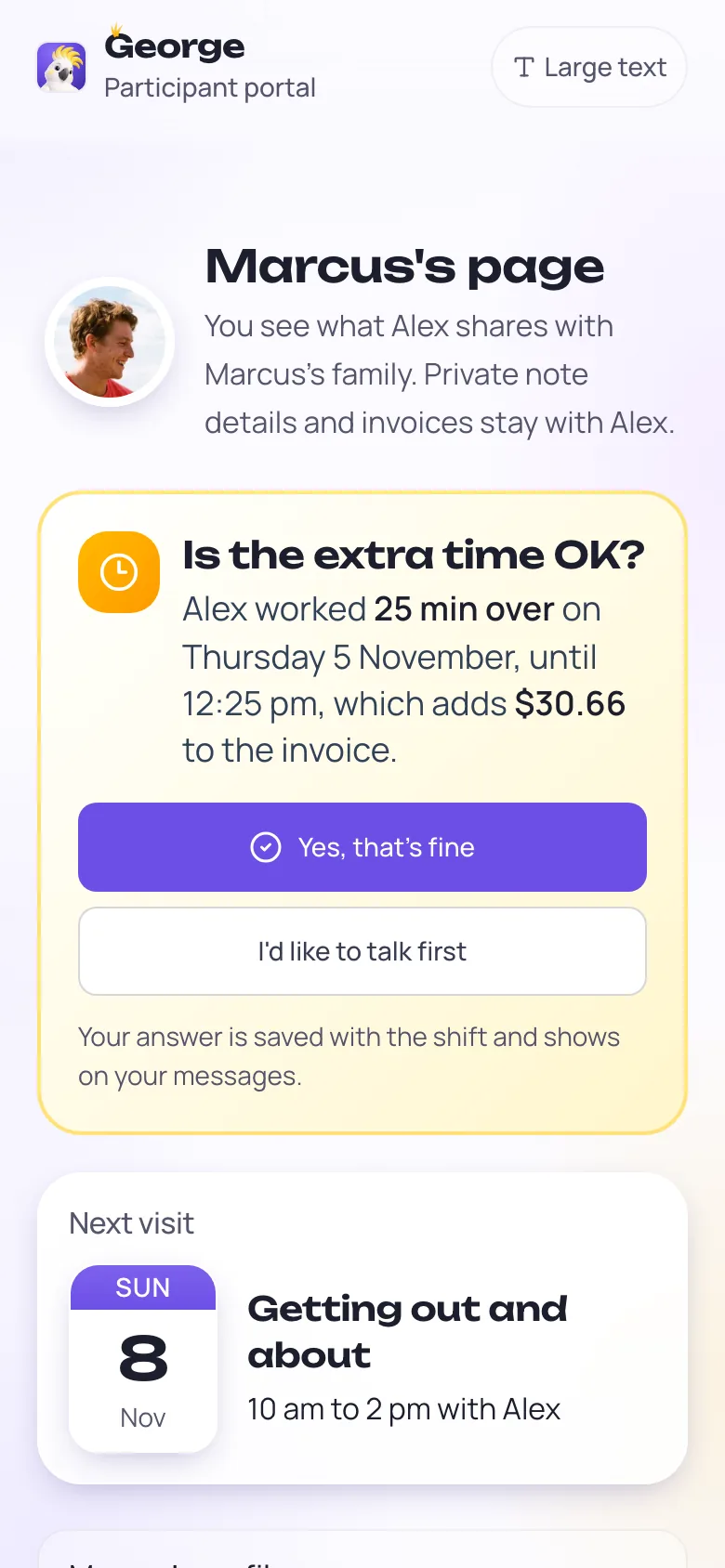
The person you support, and the people who love them, can see what's booked and who's coming, and OK extra time with one tap, without ringing you. It opens on the person, not on a case number.
What the family sees
It opens on the person, not the paperwork.
Their name and photo first, then anything waiting on the family's OK, what they love and what's coming up. It's written for them and the people around them, not for a funding body.
Their profile
What they love, their places and their own words, near the top of the page. Not a diagnosis, not a case number. The family can add to it, and you see when they did.
Coming up
The next visits: when, how long, and who is coming. The single question families ring about most.
Extra time, OK'd with one tap
When a shift runs over, you ask once. They see how long it was and what it adds to the invoice, and say yes or ask to talk first. Their answer goes on the thread.
Service agreements
The signed agreement, there to read without asking you for a copy.
Messages
A thread with the worker, and somewhere to ask something without it turning into a phone call at nine at night.
How a family gets in
Three steps, and you take the first.
You invite them
On the participant's page in George, tap Invite someone and type their email address.
They get a link by email
It works once, runs out after 14 days and opens only for that address, so a forwarded email gets nobody in.
They see that one person's page
They sign in with that address and confirm it's theirs. Then it's that one person's page, and nobody else you support.
Who can see what
You decide, and you can undo it.
Access is by invitation, one participant at a time, and only you can send one. An invited family member sees that participant's page. Not your other participants, your notes, your invoices or your business. The one figure they see is what extra time you ask them to OK would add to the invoice.
Change your mind and you can take their access back from the same page. It's gone straight away.
What a family member never sees
- Your other participants, or anything about them
- Your invoices or your rates: the only figure is what extra time you ask them to OK would add
- Your session notes and incident records
- Your compliance documents
- The participant's NDIS number, date of birth, address, plan or health details
Still to come: a view of the page for the participant themselves (everyone you invite sees the family's view for now), and showing a family your checks and their progress.
Give the family somewhere to look.
Included in your $39 a month. Not an add-on, not a per-family charge, and nothing the participant or their plan is billed for.